Case study
Blubrry PowerPress Plugin.
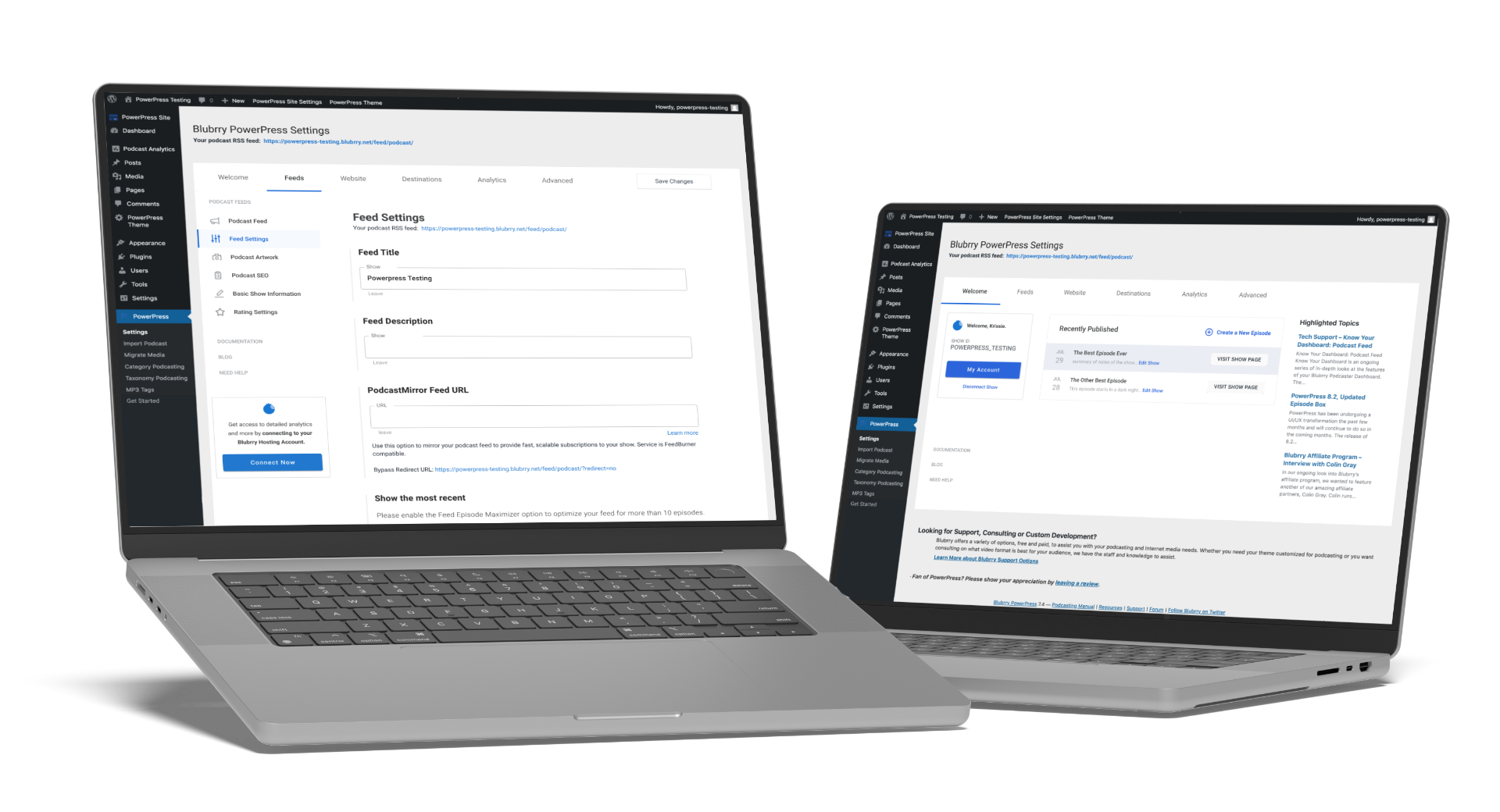
A full UX overhaul of the most popular WordPress podcasting plugin — replacing a cluttered, upsell-heavy settings page with a clean tabbed interface, guided onboarding, and streamlined podcast import.
Role
Lead UX Designer
Plugin Redesign · Onboarding · IA
Year
2019
Platform
WordPress Plugin
Podcast publishing & RSS management
The Problem
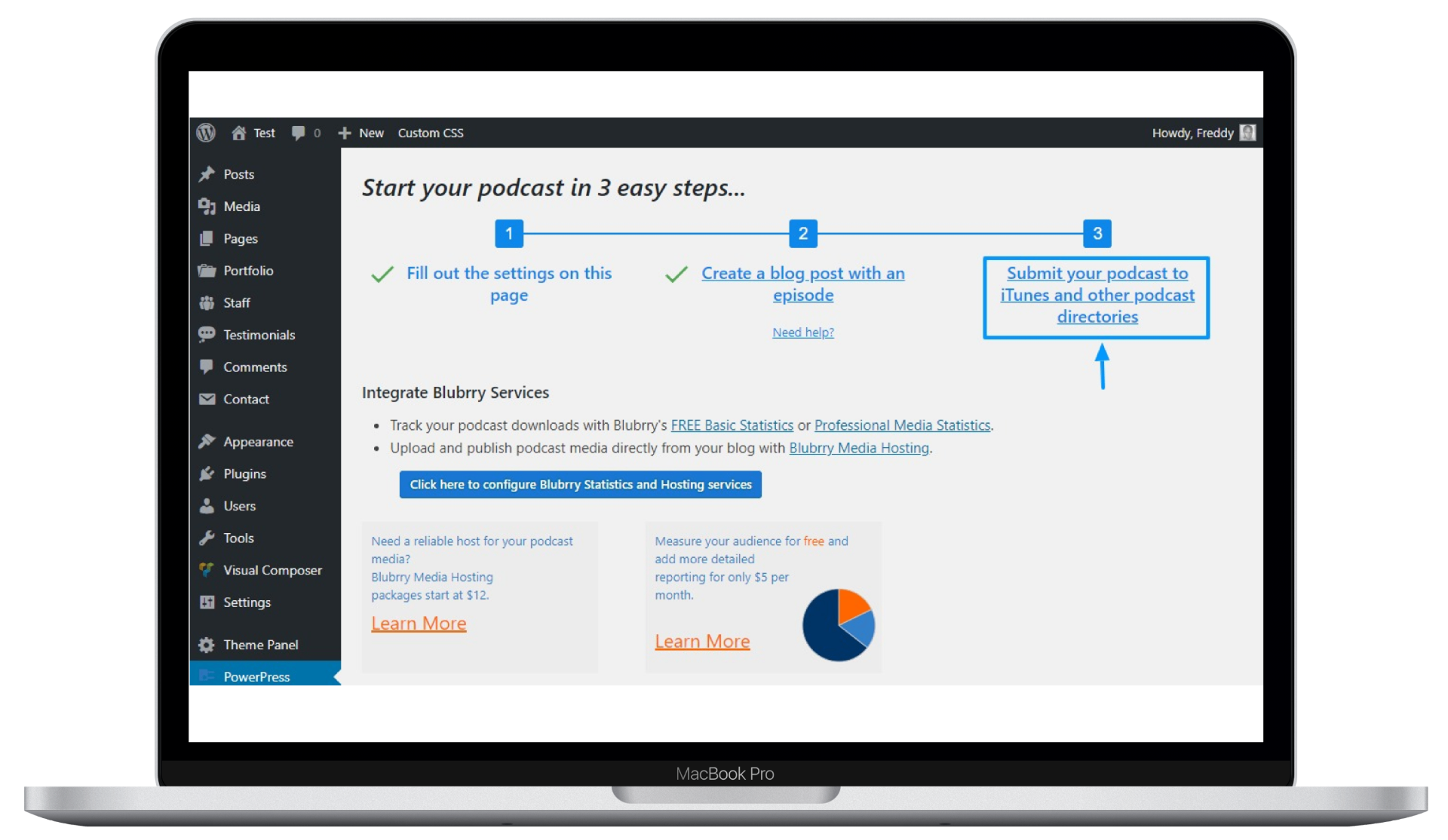
PowerPress had grown over years into the most feature-rich WordPress podcasting plugin — but the interface reflected every addition without any structural rethinking. The result was a settings page that overwhelmed new users and buried power features.
- The main settings page mixed a 3-step wizard with service upsells, configuration links, and promotional content — all competing for attention
- New users had no clear path from installation to publishing their first episode
- Advanced features were scattered across submenus with no logical grouping
The plugin did everything — but its interface made it hard to do anything confidently.
Before — What Existed
The original PowerPress settings page: a cluttered mix of setup steps, service promotions, and configuration links with no visual hierarchy or task orientation.
The Solution
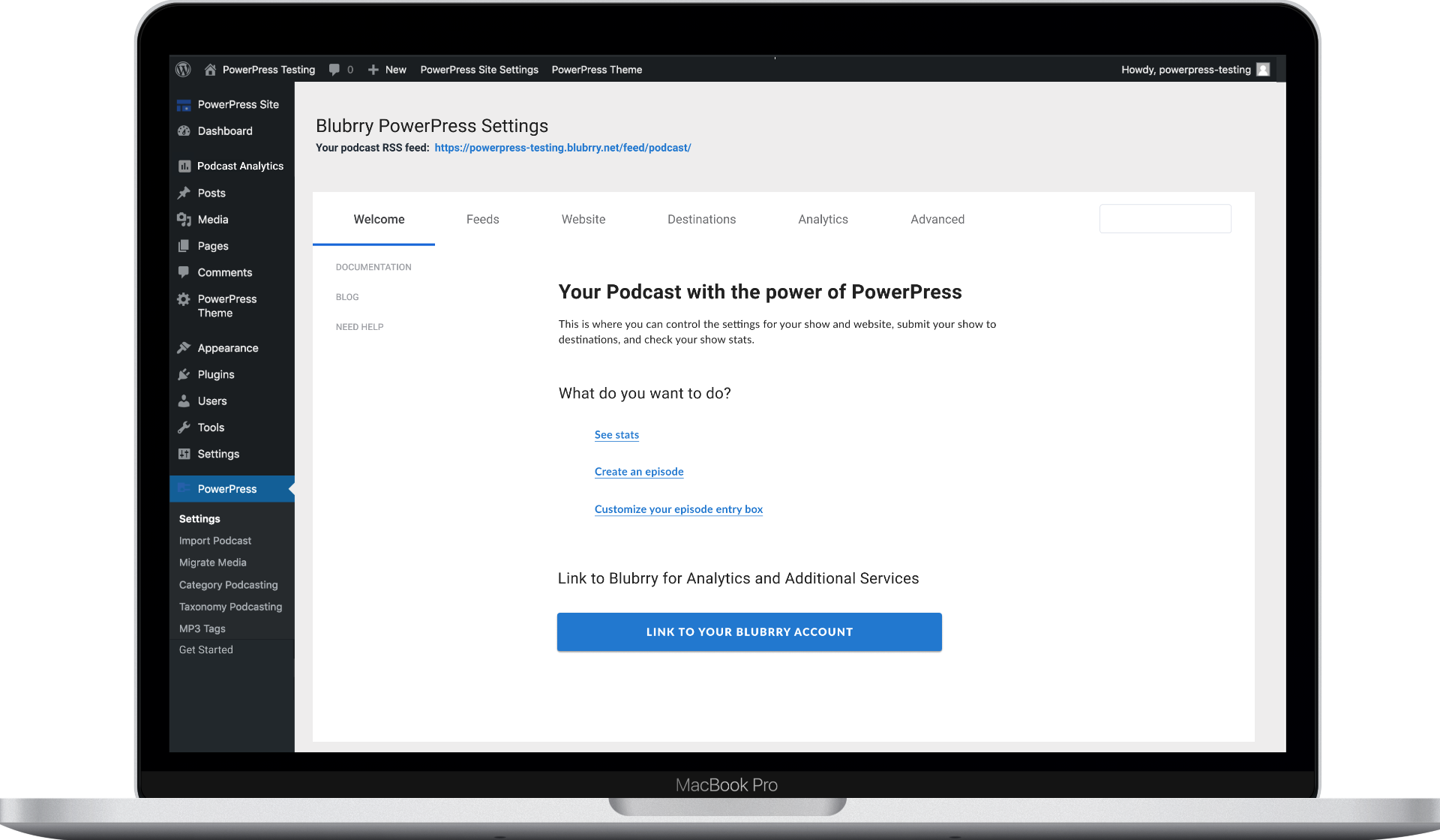
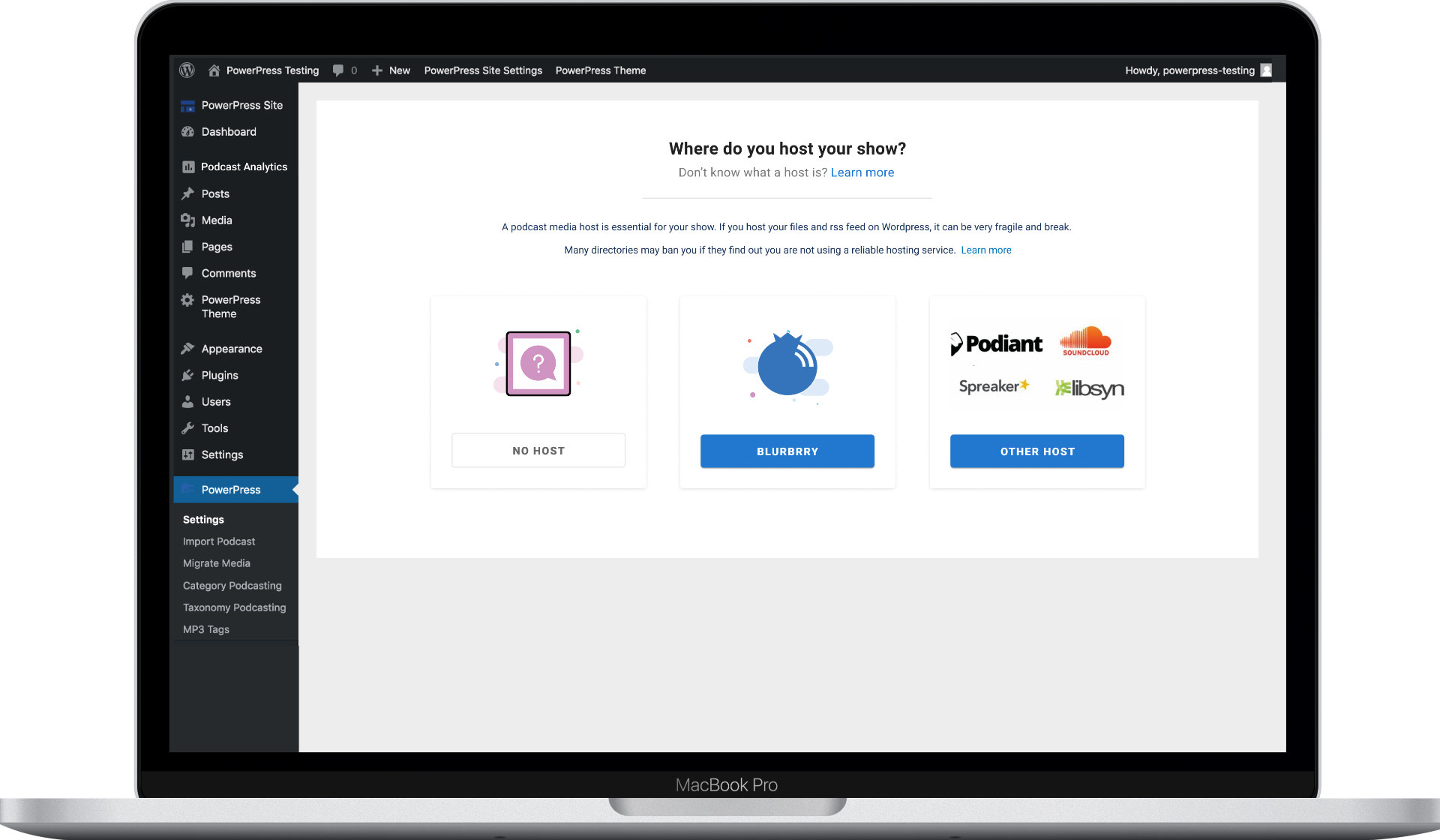
We redesigned PowerPress around three principles: clear task separation through tabs, guided onboarding for new users, and streamlined workflows for common tasks like podcast importing.
Tabbed Settings & Onboarding
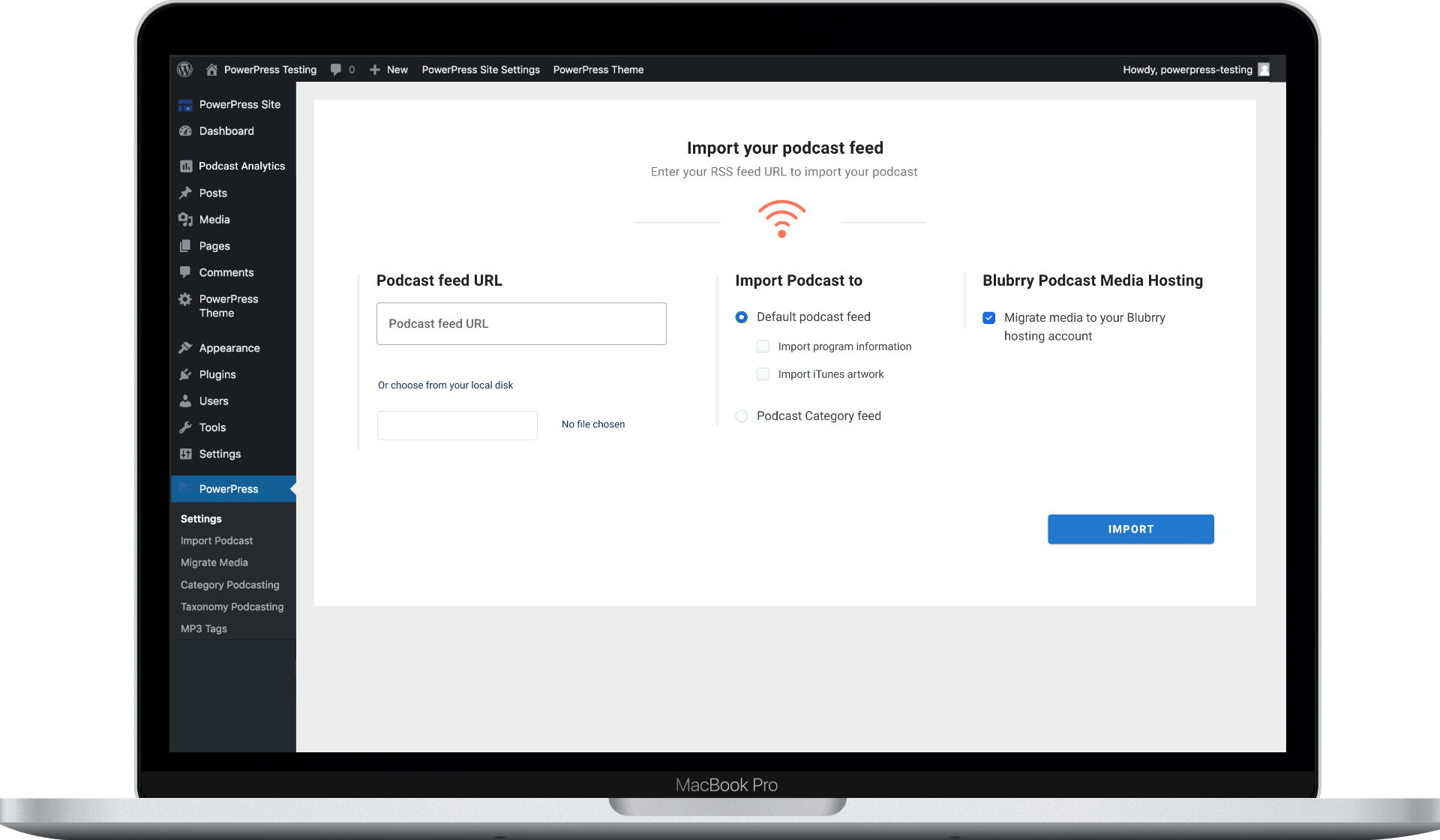
Replaced the single-page dump with a tabbed interface (Welcome, Feeds, Website, Destinations, Analytics, Advanced) that groups features by workflow. The onboarding flow now asks one clear question at a time — starting with hosting selection. The import tool was redesigned as a focused, single-purpose screen.
Design Process
- 01
Feature Inventory
Catalogued every setting, link, and configuration option across the plugin to understand the full scope.
- 02
User Journey Analysis
Mapped new-user and power-user journeys separately — new users needed a linear path to 'first episode published'.
- 03
Tabbed Architecture Design
Designed a tab-based IA that separates concerns (Welcome, Feeds, Website, Destinations, Analytics, Advanced).
- 04
WordPress Pattern Compliance
Ensured all redesigned screens followed WordPress admin UI conventions.
Working on something similar? Let's talk.