Case study
Blubrry Dashboard & Onboarding.
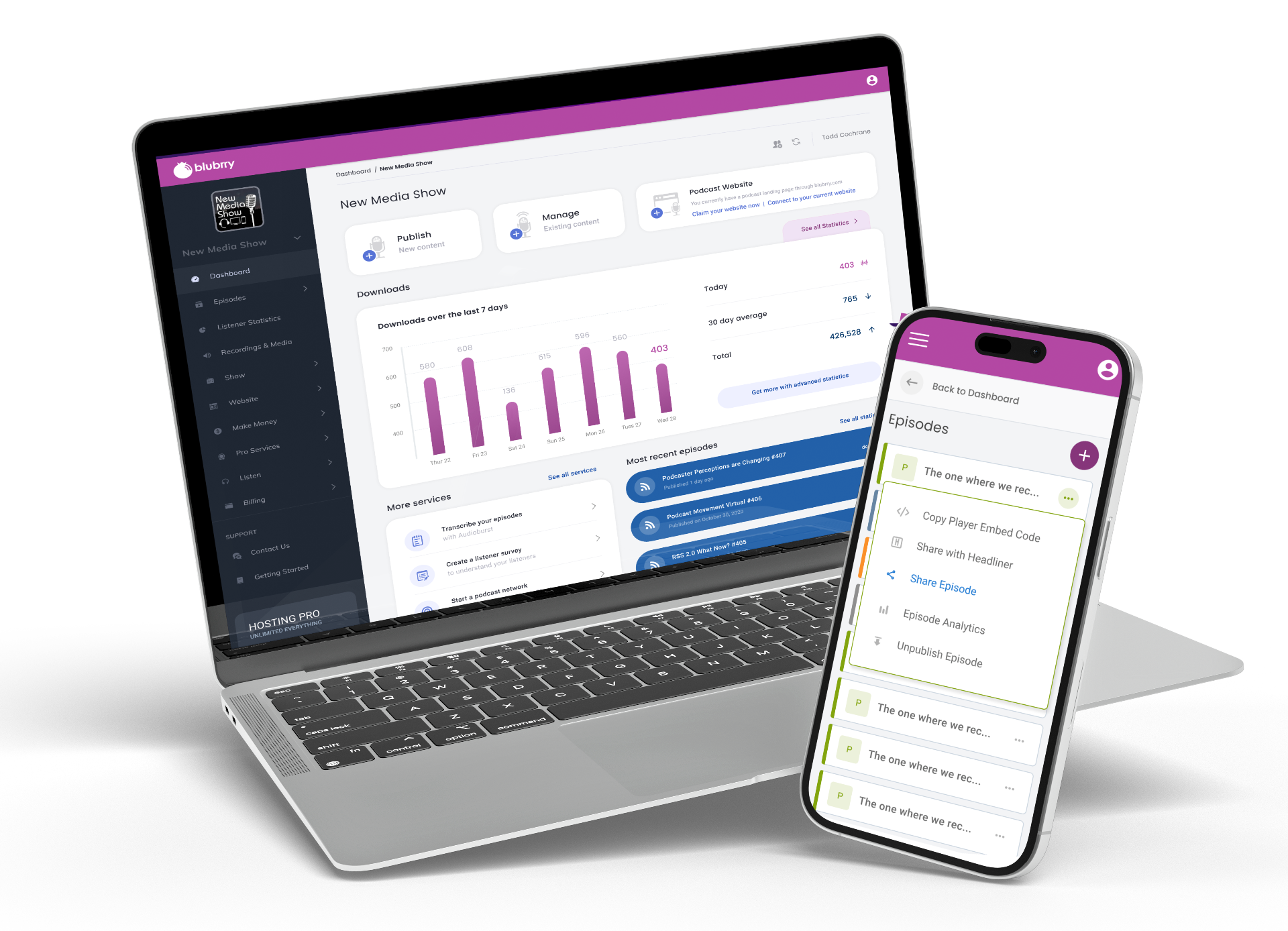
An app-wide redesign that replaced a flat, link-heavy interface with structured navigation, task-oriented dashboards, and guided onboarding — giving podcasters a clear path from signup to publish.
Role
Lead UX Designer
IA Restructure · Dashboard Design · Onboarding
Year
2019
Platform
SaaS Web App
Podcast hosting & management
The Problem
Blubrry's platform had grown feature-by-feature over years, but never received a cohesive structural redesign. The result was a flat interface where every feature existed at the same level — no hierarchy, no wayfinding, no clear user journey.
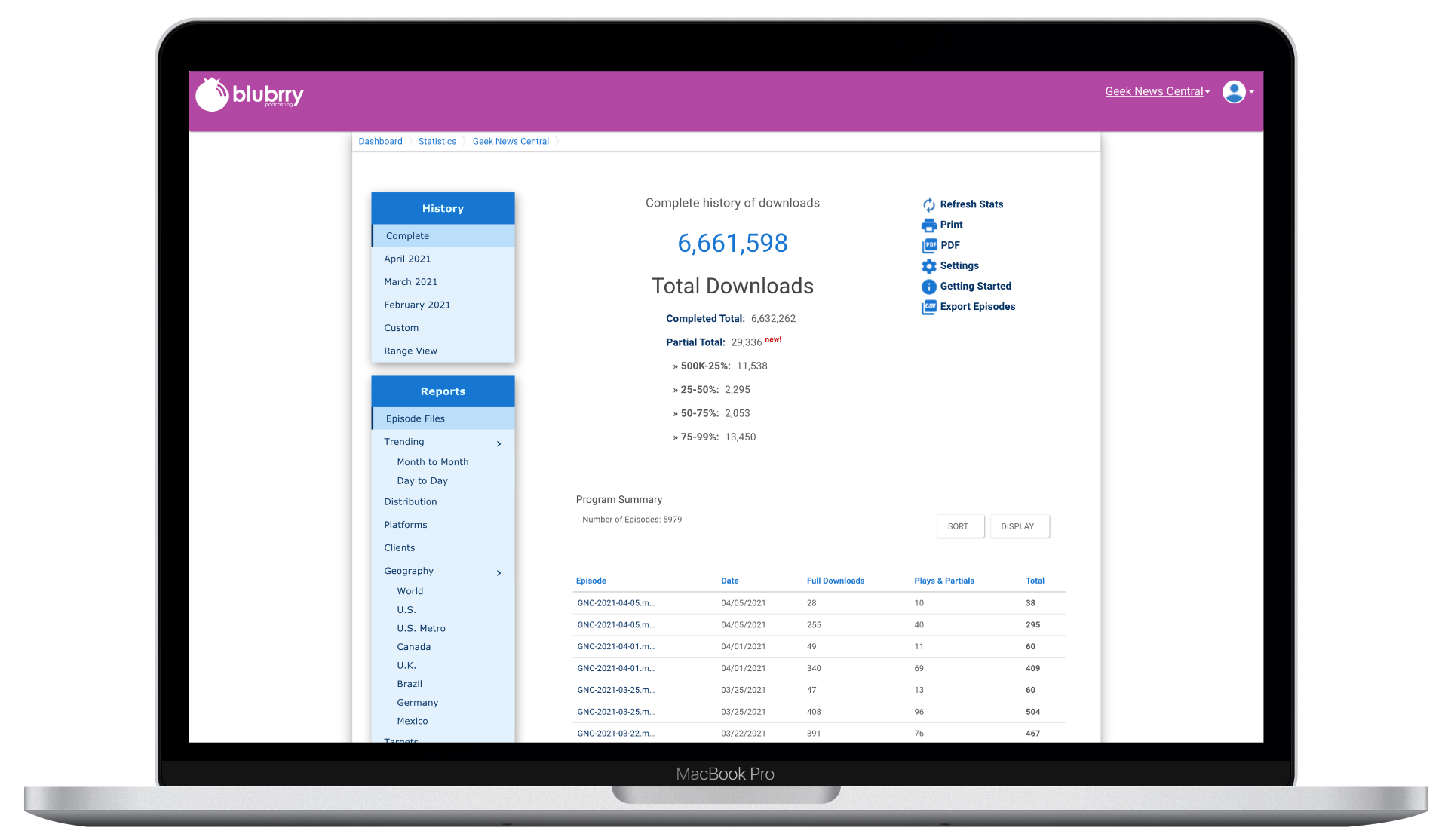
- The dashboard was a statistics dump with no visual hierarchy or actionable context
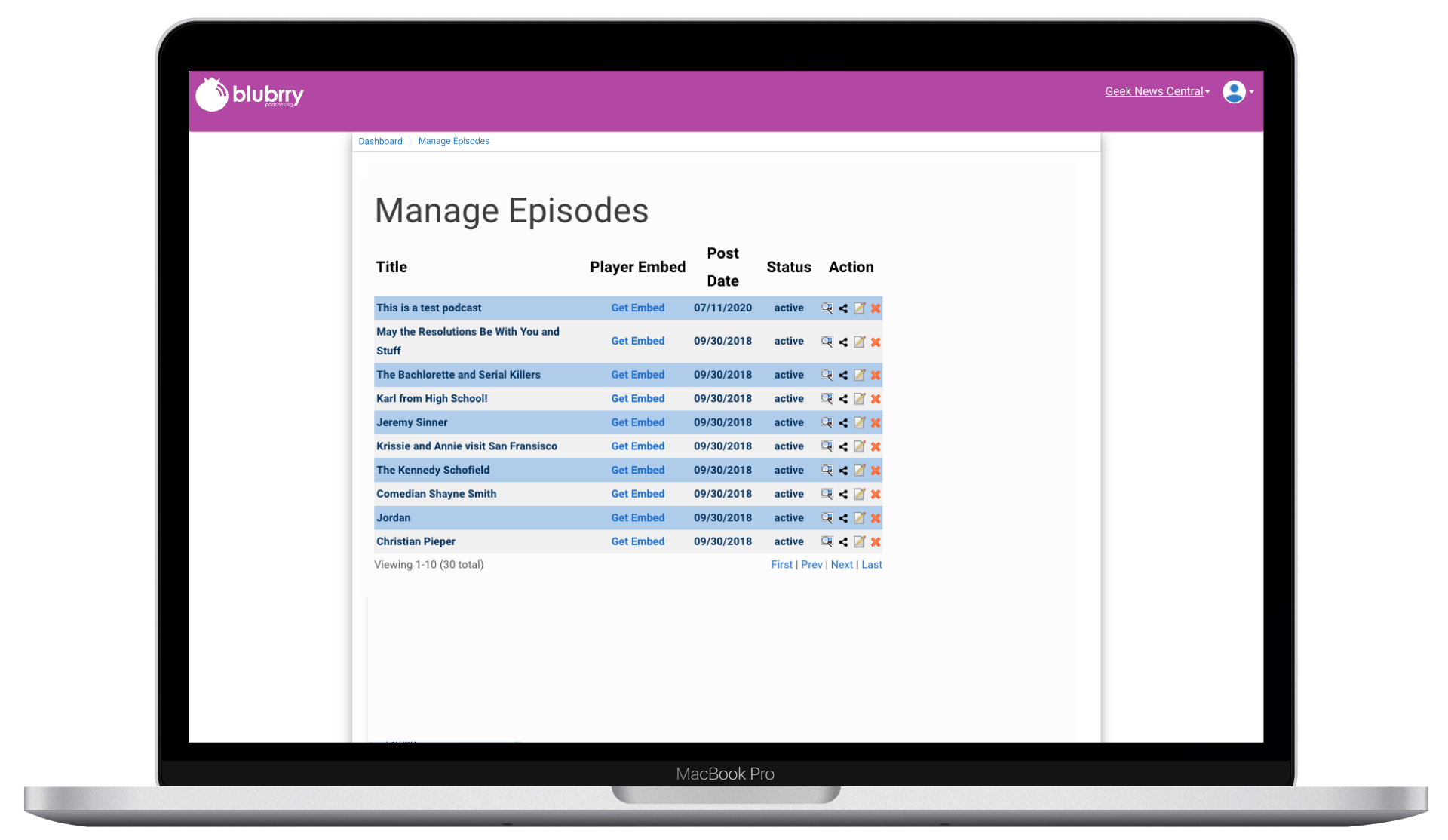
- Episode management was a raw data table with cryptic icons and no bulk operations
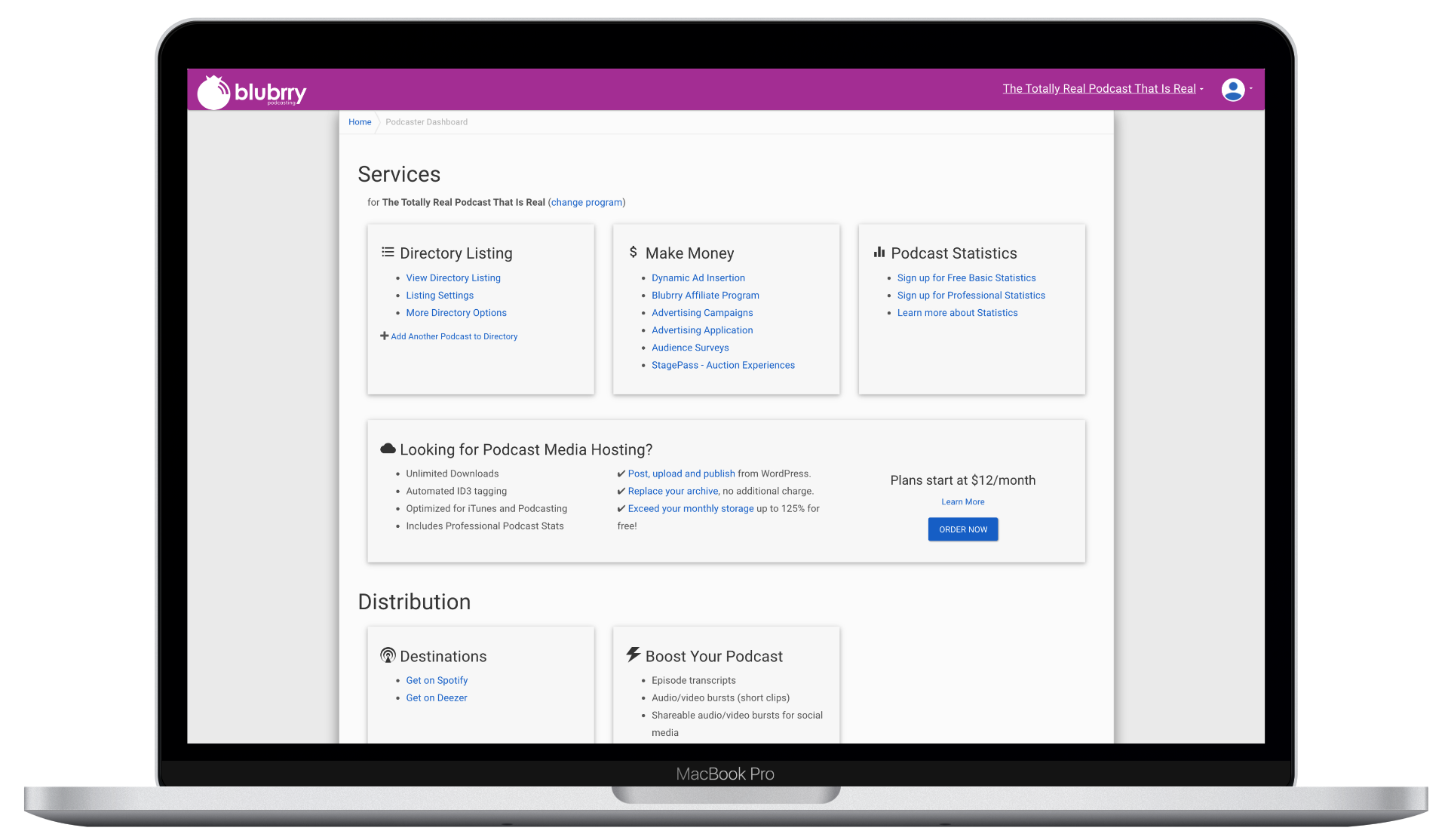
- The services page was a flat grid of links with no clear entry point
- New users had no onboarding — they landed in the sprawl with zero guidance
The platform wasn't broken — it was structureless. Every feature worked, but nothing guided users through a coherent workflow.
Before — What Existed
Three views that illustrate the structural problem: a statistics-heavy dashboard with no task orientation, a bare episode table with no workflow support, and a services page that was essentially a link directory.
The Solution
We redesigned the entire application structure — not just the visual layer, but the information architecture, navigation model, and user onboarding. The goal was to transform a feature directory into a task-oriented platform.
Dashboard & Episode Management
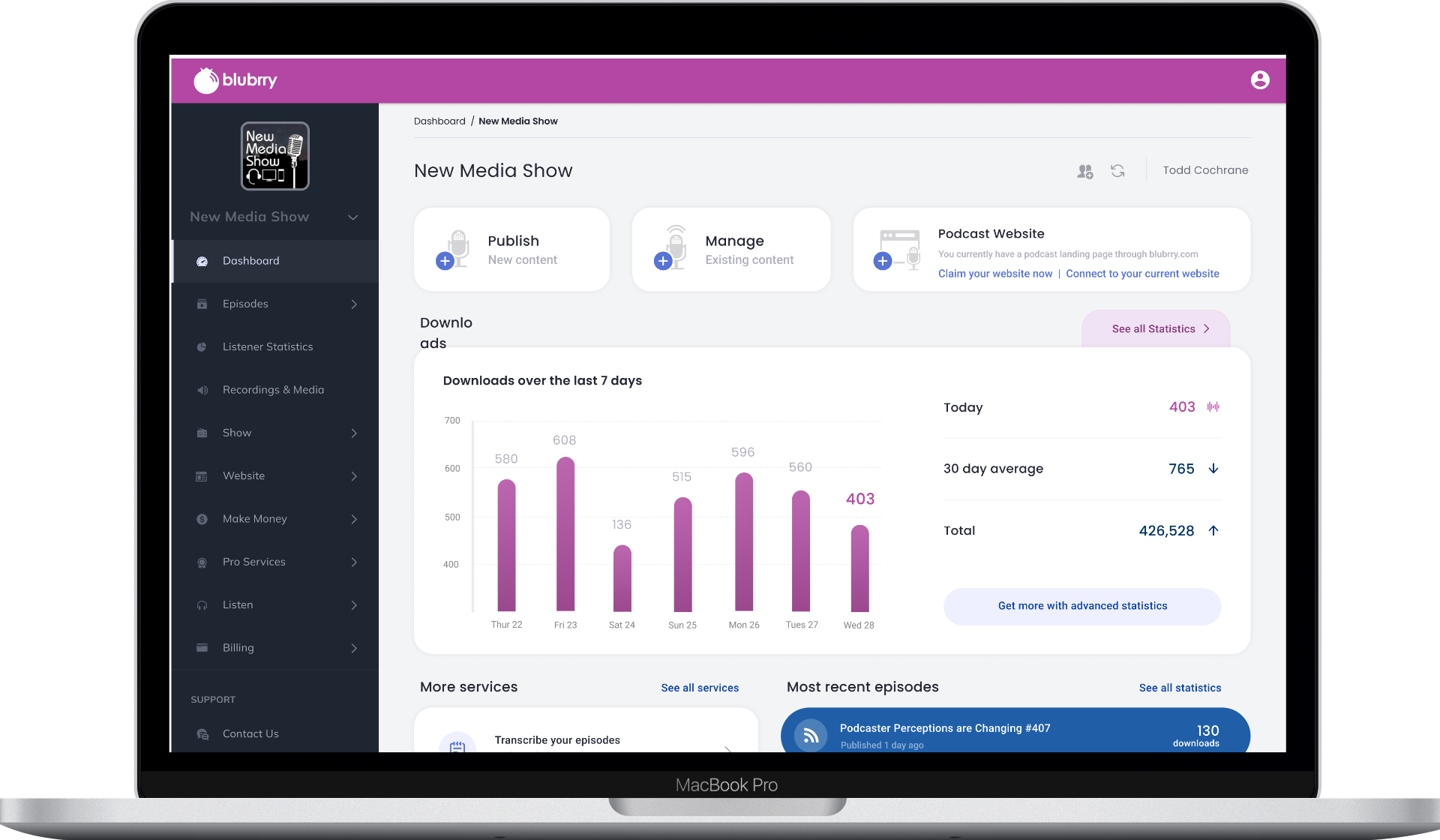
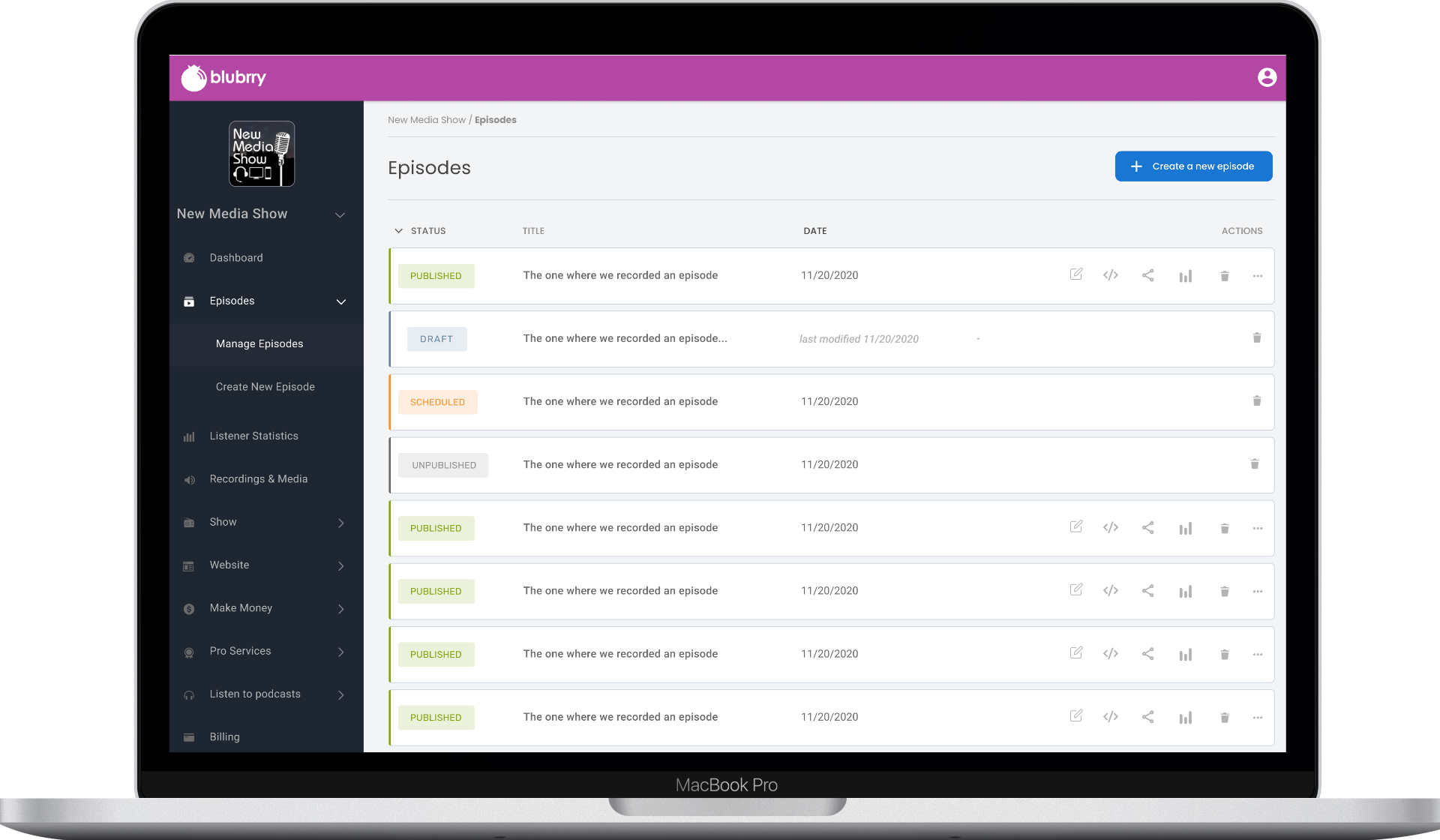
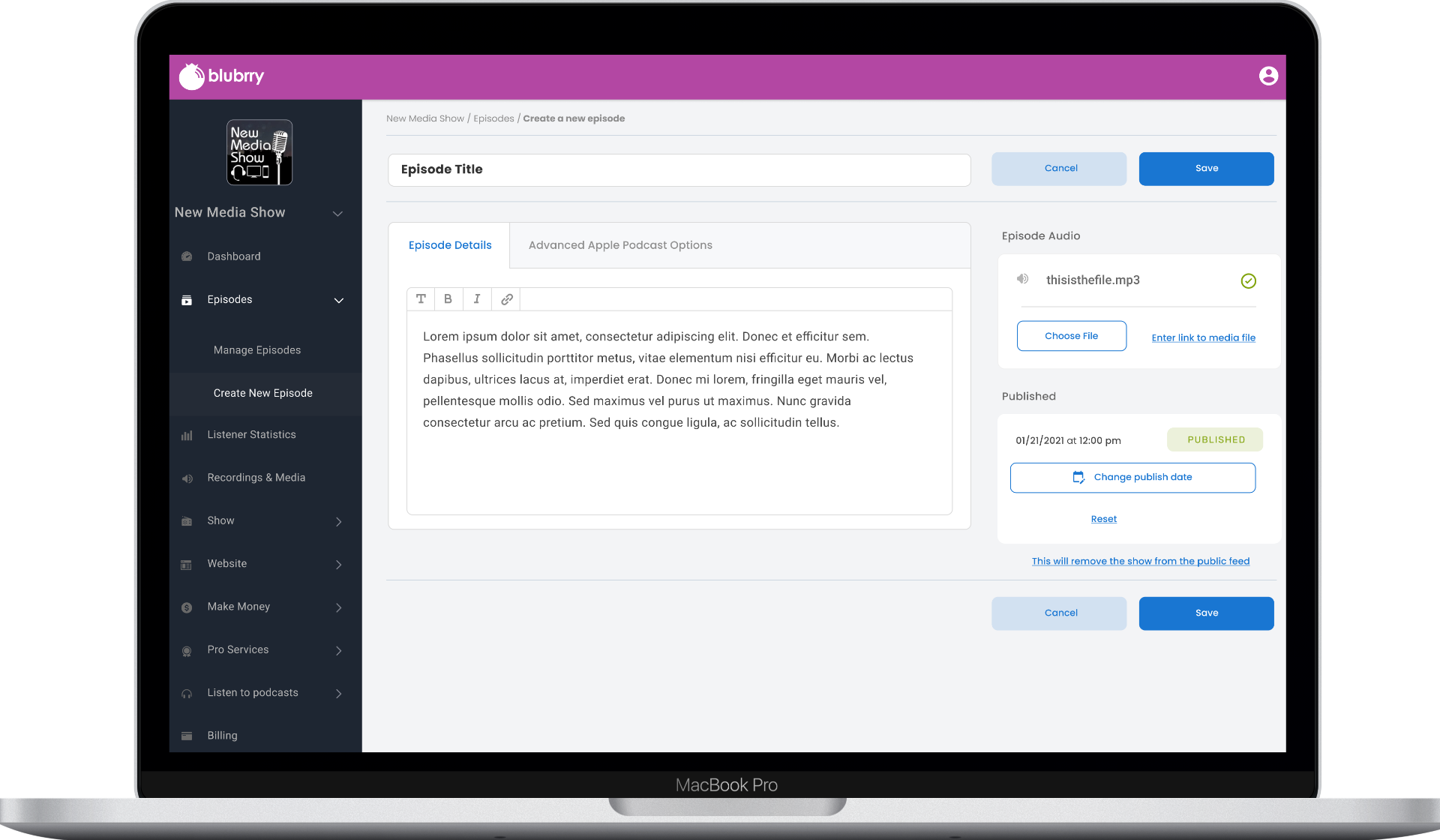
Replaced the flat page model with a persistent navigation system organized around creator workflows. The dashboard now centers on quick-publish actions, weekly performance charts, and recent episode stats — answering "what should I do next?" instead of dumping raw numbers.
Guided Onboarding
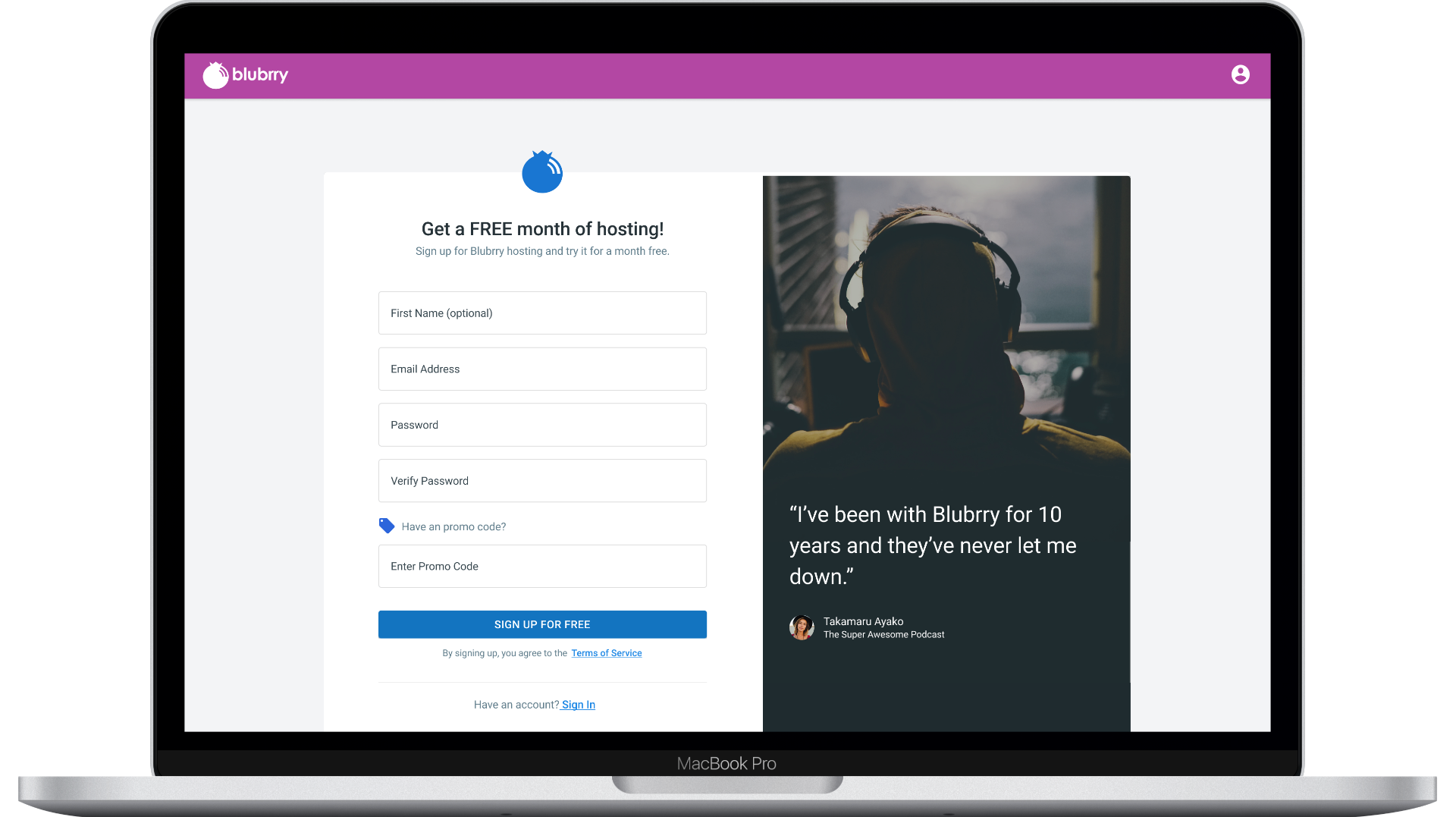
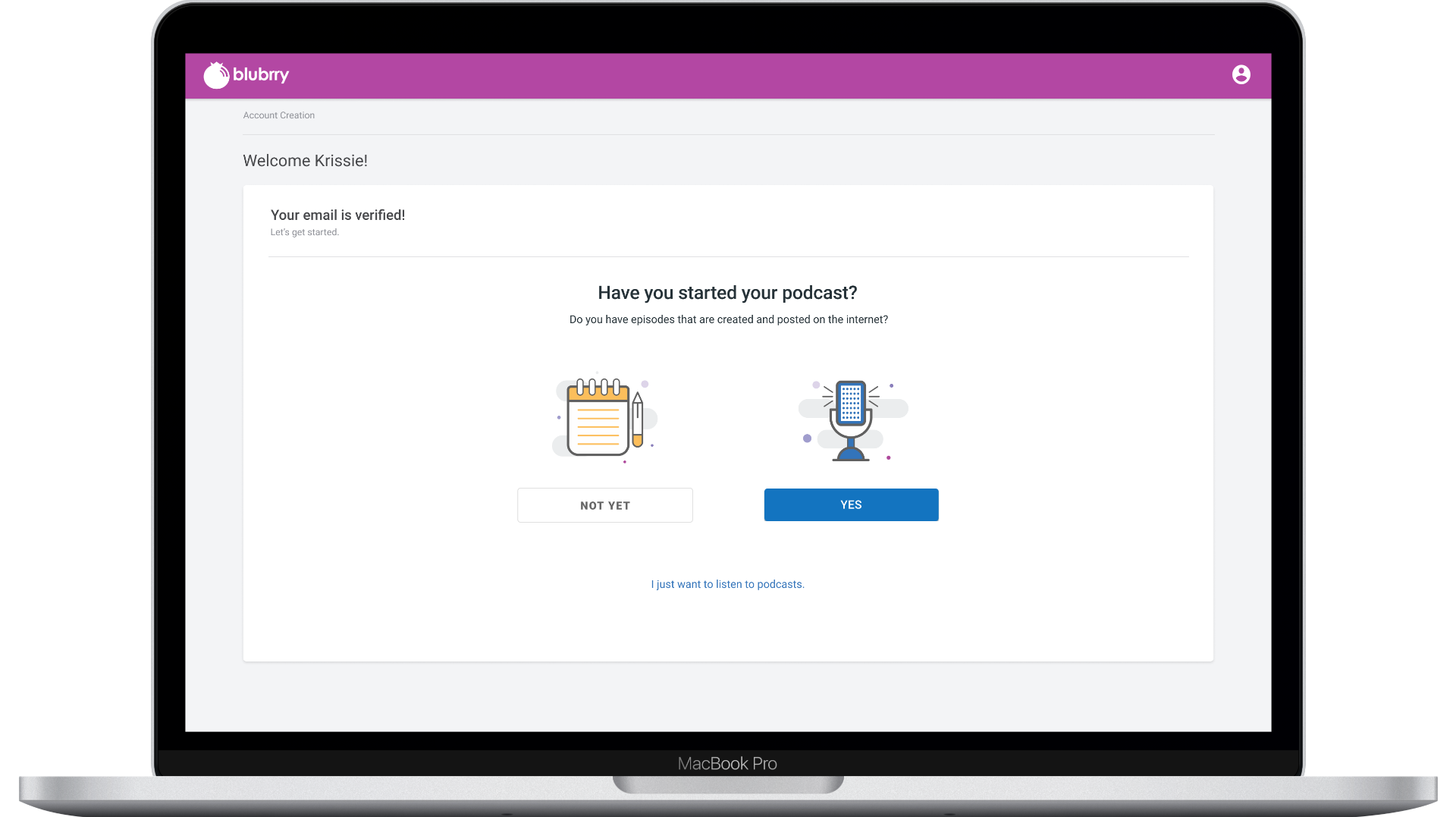
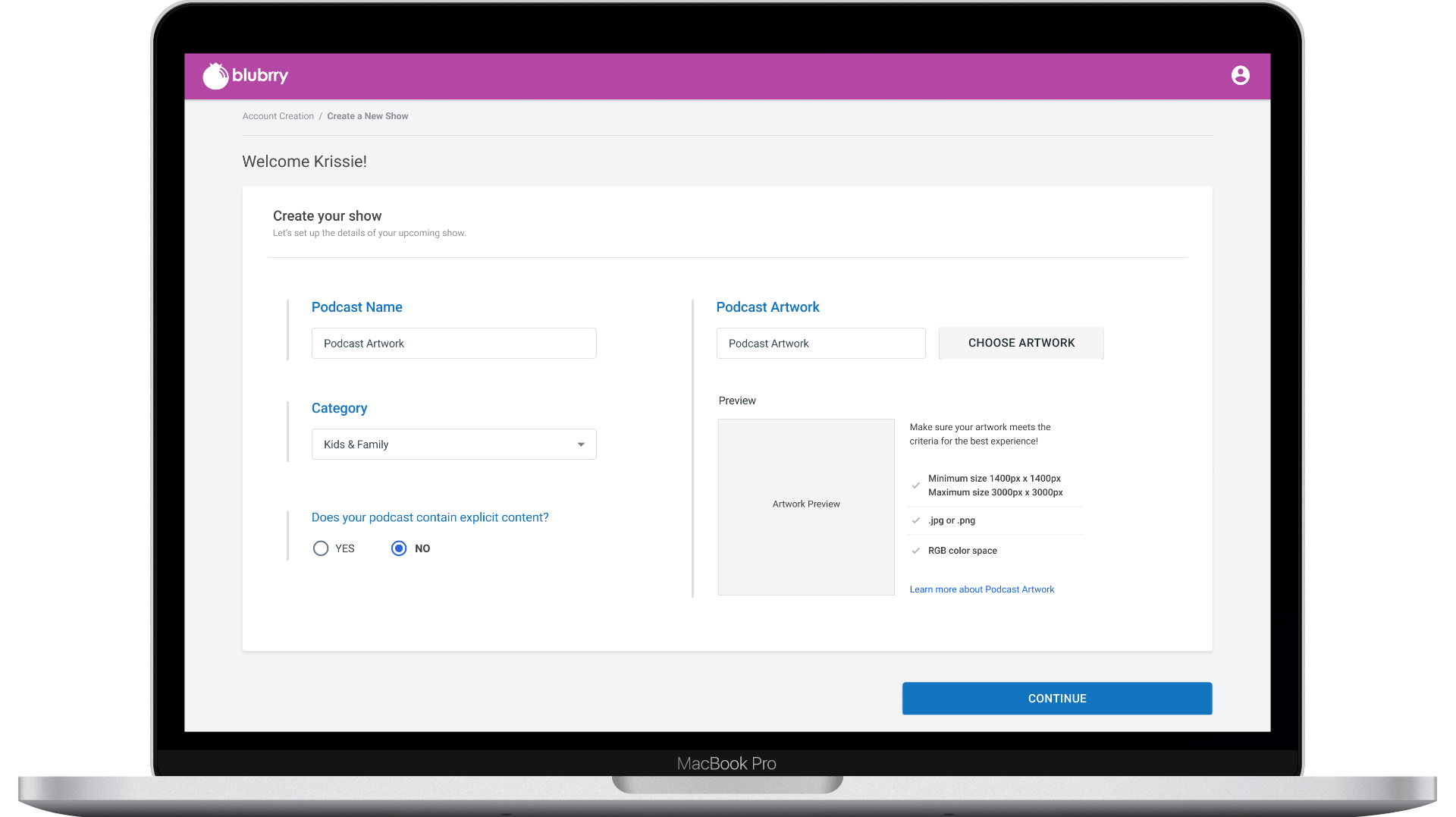
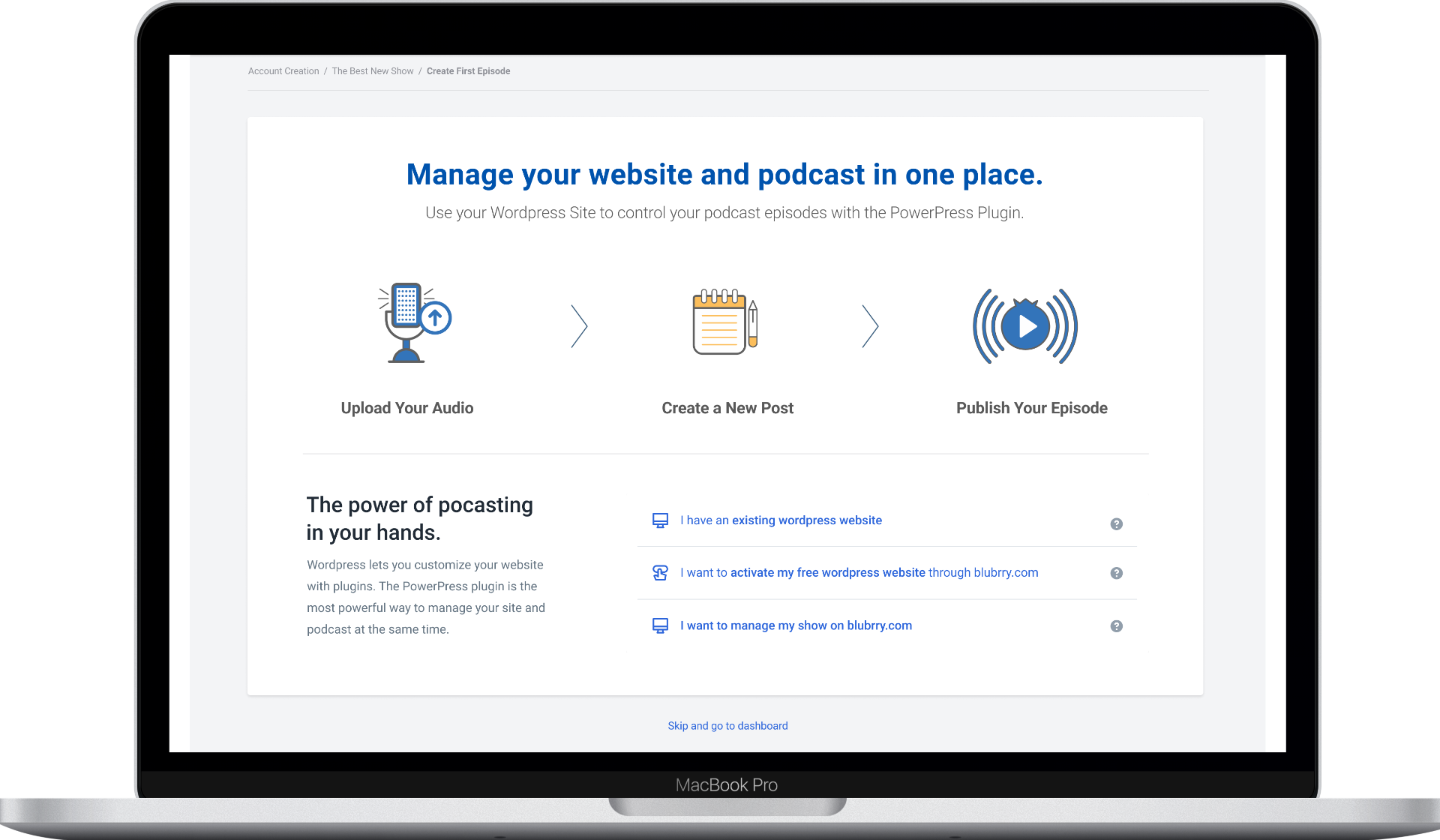
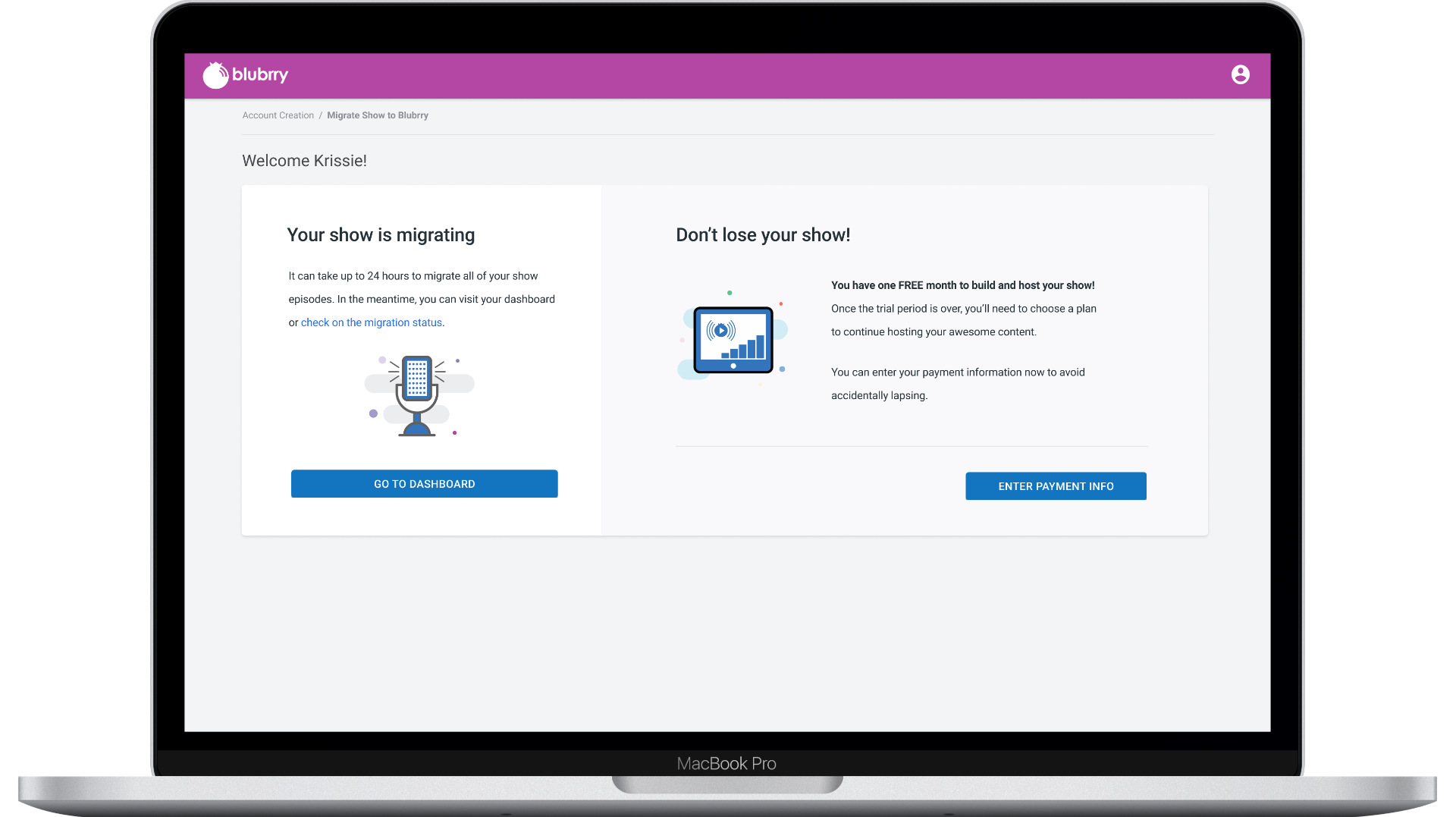
Designed a step-by-step onboarding flow that walks new creators from signup through show creation to their first published episode — with smart defaults, artwork validation, website configuration options, and migration support for creators moving from other hosts.
Design Process
- 01
Navigation Audit
Mapped every feature and link — documenting 60+ unique destinations spread across 8 unrelated page layouts.
- 02
Creator Journey Mapping
Identified four core workflows (publish, manage, grow, monetize) through card sorting and contextual interviews.
- 03
Progressive Disclosure Design
Designed the dashboard and onboarding using progressive disclosure — showing creators what they need at each stage.
- 04
Iterative Prototyping
Built and tested three rounds of interactive prototypes with both new and experienced creators.
Working on something similar? Let's talk.